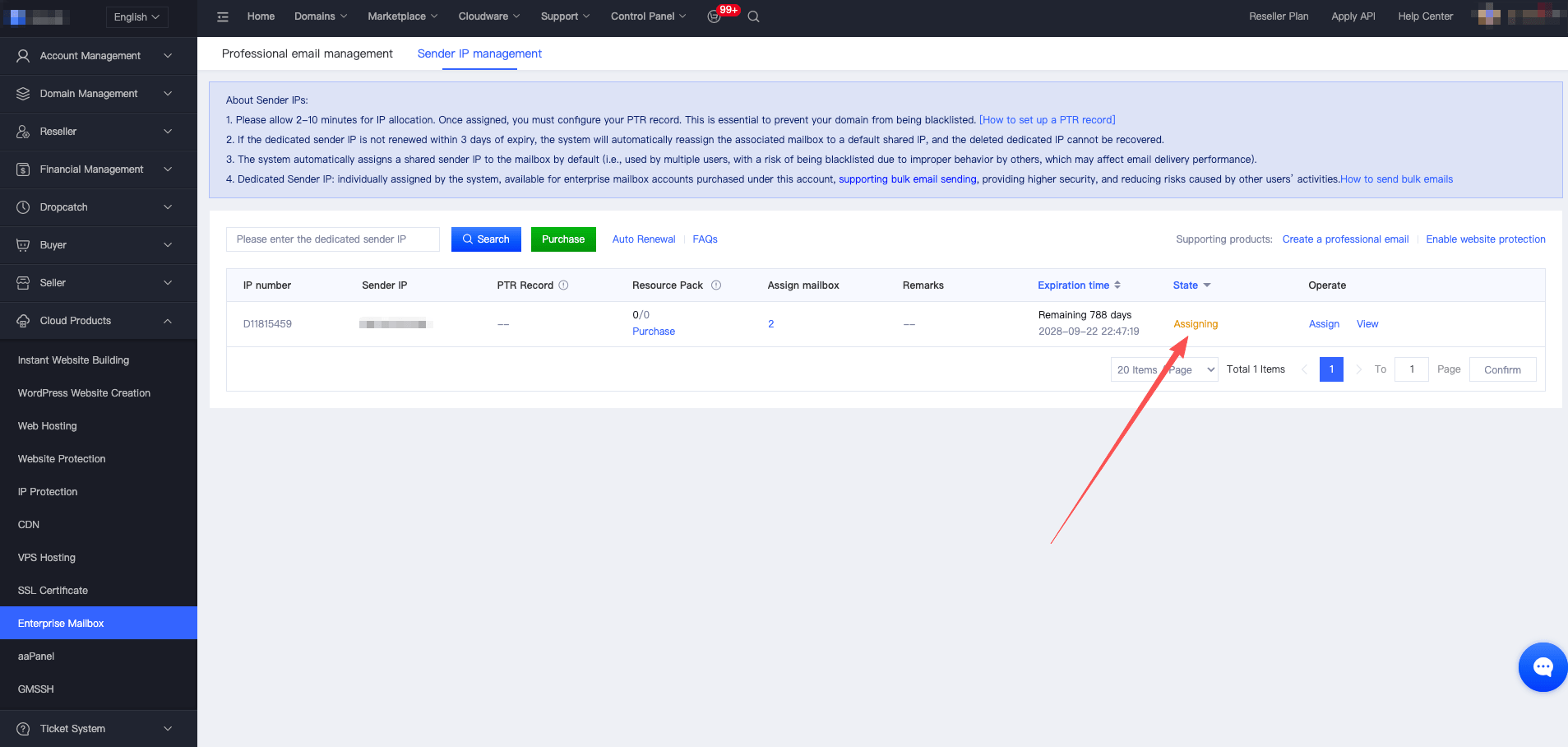
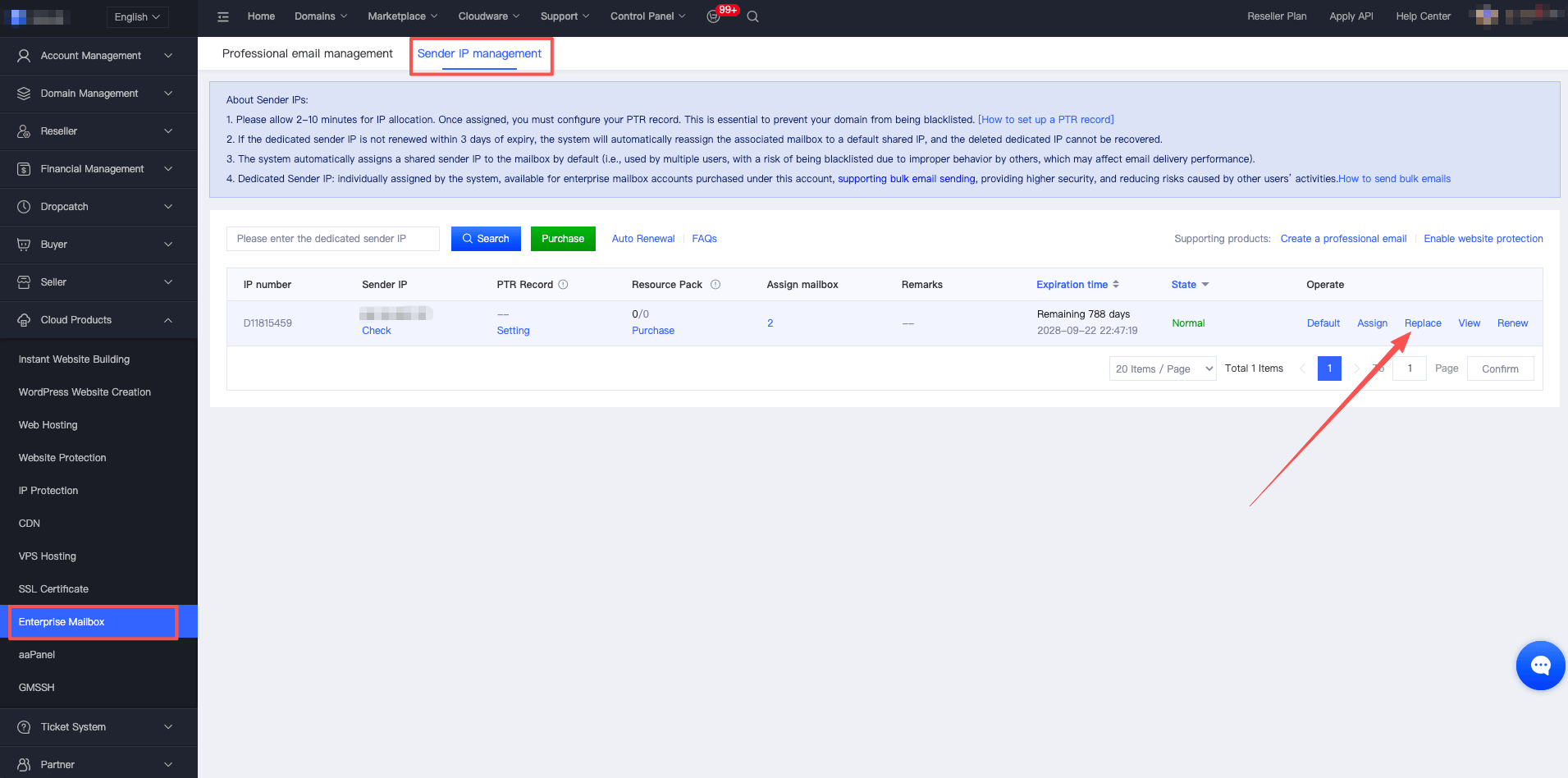
1. Log in to your account, navigate to 【Cloud Products】 - 【Business Email】 - 【Sending IP Management】, select the dedicated sending IP you want to change, and click 【Replace】 to open the IP replacement page, as shown below:
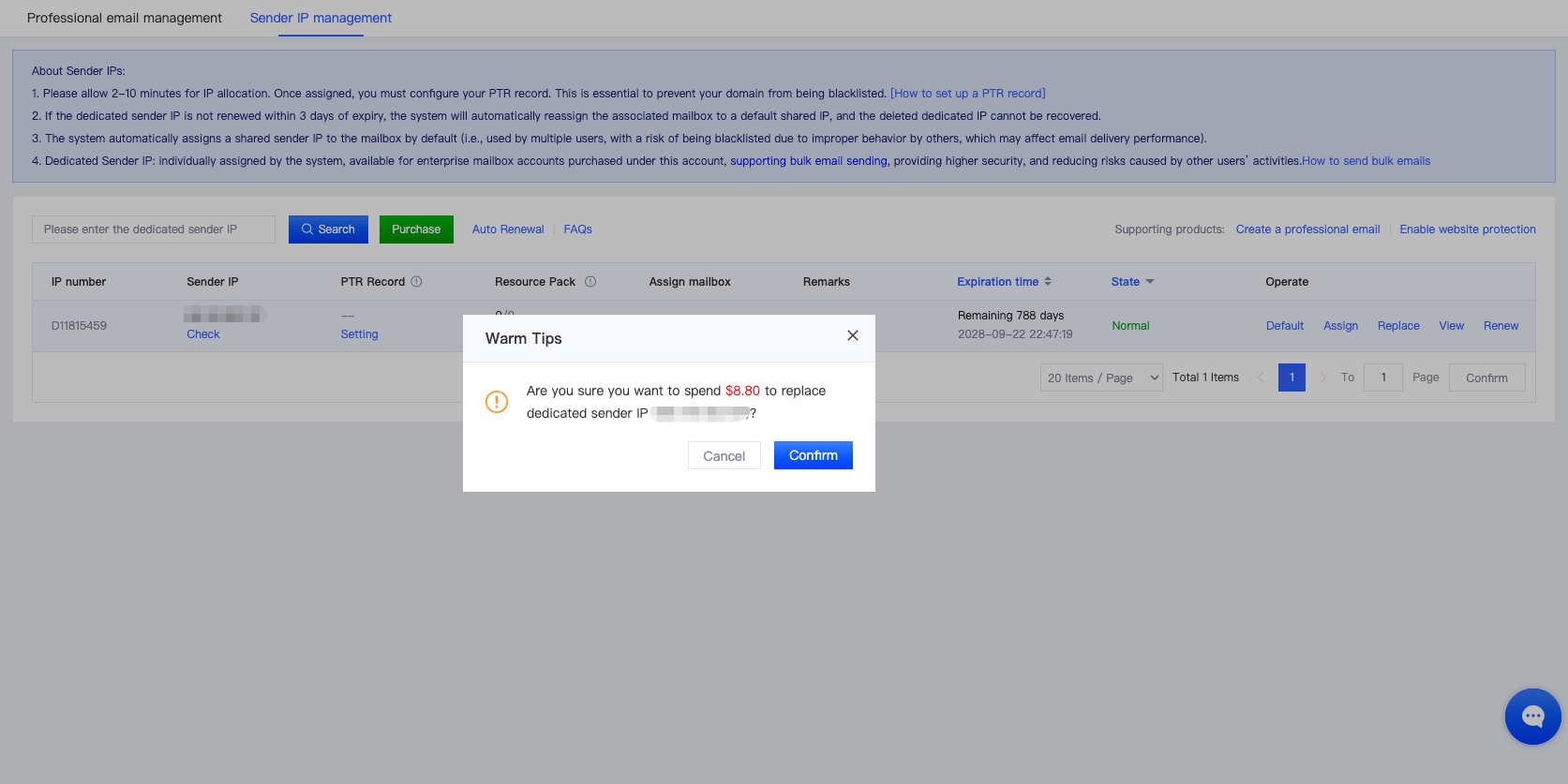
2. A confirmation prompt will appear. Click 【Confirm Replacement】 to continue. The $8.00 replacement fee will be automatically deducted from your account balance. Please make sure your balance is sufficient before proceeding to avoid any impact on the IP replacement process.
3. After confirming the replacement, the system will automatically assign a new dedicated sending IP to you. The assignment process takes approximately 1 minute. Please refresh the page after a short wait to view the updated IP status. Once the new IP has been assigned, it will be ready for use.